Argo CD
Argo CD is a declarative, GitOps continuous delivery tool for Kubernetes.
Before diving into argoCD lets firs understand the consept of GitOps.
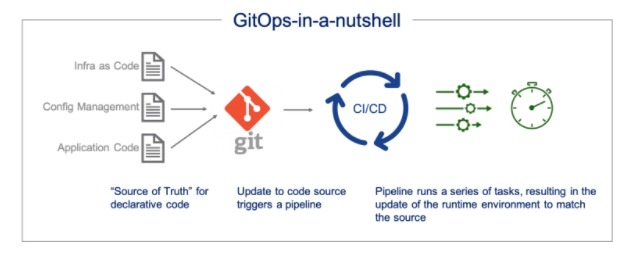
What is GitOps? – GitOps is a way of implementing Continuous Deployment for cloud native applications.
AS described by Weaveworks at its inception in 2017 GitOps can be summarized as these two things:
- An operating model for Kubernetes and other cloud native technologies, providing a set of best practices that unify Git deployment, management and monitoring for containerized clusters and applications.
- A path towards a developer experience for managing applications; where end-to-end CICD pipelines and Git workflows are applied to both operations, and development.
Where does Argo CD comes into the picture?
Argo CD brings us the solutions for implementing a GitOps workflow with Kubernetes:
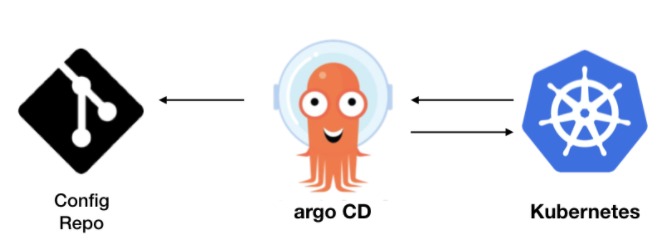
It helps us to deliver applications to Kubernetes by using the GitOps approach. When a Git-repository is used as a source of trust, thus all manifest, configs and other data are stored in the repository.
Argo CD is implemented as a kubernetes controller which continuously monitors running applications and compares the current, live state against the desired target state (as specified in the Git repo).
Get started:
Argo CD documantation provides a very nice explanation on how to get started, you can check it out:
https://argoproj.github.io/argo-cd/getting_started/
If you would like to test an App deployment you can use my deployment and service file in the public repo:
https://github.com/natalicot/WTA_K8s
Under the folder WTA (Weight Tracker App).
If you would like to check the synch from the git repo try changing the app version in the deployment file:

(Versions that are curantly availibele are 1.0.2 and 1.0.3)
The app is running on port 8080 you can see it by port forwarding the service:
kubectl port-forward svc/wta 8080:8080
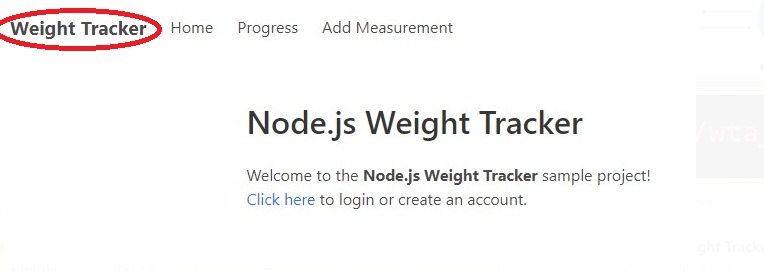
You can also see the difference between two versions one is bold the othe one isnt:
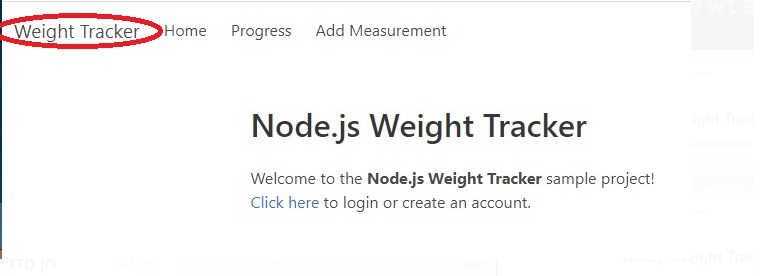
V1.0.2
V1.0.3
3 ways to deploy an app:
Argo CD provides you 3 ways to deploy an application:
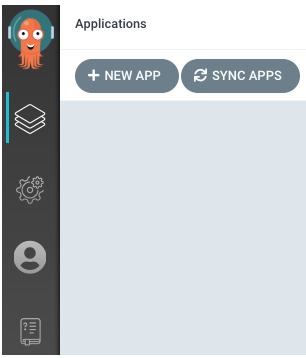
- With the UI:
you just click new application and fill in all the info
2. Using ArgoCD terminal command:
argocd app create wta_app –repo https://github.com/natalicot/WTA_K8s.git –path wta –dest-server https://kubernetes.default.svc –dest-namespace default
3. Using Argo CD API creating an Application type YML:
https://github.com/natalicot/WTA_K8s/blob/master/wta_app_argo.yml
What about Flux?
Argo CD and Flux are the two major solutions for implementing a GitOps workflow with Kubernetes. The main difference is that Flux allows to connect only one repository per instance of Flux operator, ArgoCD can connect multiple git repositories to one cluster.
Summary
Argo CD greatly reduced complexity of Kubernetes management. It offers much more features, it’s easier to use and it is more elastic as it supports wider range of scenarios.
See more on: