Developer container tools

This is a follow up article to the Sela SDP lecture, Developer container tools.
Created by Noam Amrani and I.
A developer point of view
Docker Desktop has recently updated their subscriptions. This move got us thinking about he way we are working with containers, especially as windows users.
Is there a way to have a similar experience without Docker Desktop? For that, we need to understand how does docker desktop works and its features. Are there any other tools that can replace it? or even better?
A bit about Containers
In the current eara of development – almost all of us are using containers to run our applications. But before we dive in on how to use them – lets take a quick look on why we use them.
Linux containers is a technology that allows you to package and isolate applications with their entire runtime environment.
This benefits our apps in so many ways:
- Portability
- Efficiency and Density
- Isolation
- Speed
- Scalability
- High Availability

Linux containers on Windows
So now that we have the “why” we are using containers, how can we use Linux containers on Windows operation system?
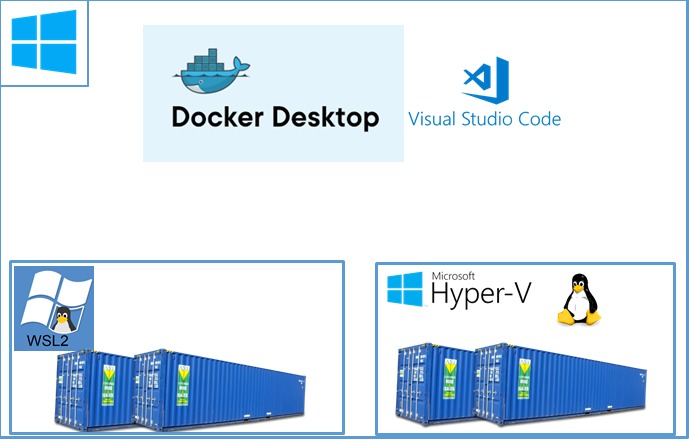
We can use Docker Desktop.
Docker Desktop is running on our windows machine – and using either WSL2 (windows sub system for Linux) or Hyper-V as it virtualization layer.
If you are not sure what you are using – its probably the WSL2 – which is the default, strongly integrated to Windows System and thereof more native way to work on your windows machine.
For example, the file system integration between the WSL2 and the Windows file system makes it very easy to work with the IDE of our choice on the windows and integrate into the Linux when we need.
Docker Desktop Subscriptions Updated
This was nice and free, but now things have changed…
There were a few updates in Docker Desktop:
Anonymous and Free Docker Hub users are limited to 100 and 200 container image pull requests per six hours.

Businesses (more than 250 employees AND more than $10 million in annual revenue), requires a paid subscription (Pro, Team or Business), starting at $5 per user per month.
There is a grace period till January 31, 2022 ….
But do notice If you are using Docker Desktop – It will not be free any more!

Now those updates – might get us thinking – What are Docker Desktop alternatives?
And to answer this Question Lets first understand 2 things:
- What is the Docker Desktop Architecture.
- What do we use the Docker Desktop for.
Docker Desktop Architecture
Docker Desktop is build from two main Parts,
the Client Side and the Server Side whom are communicating using API.
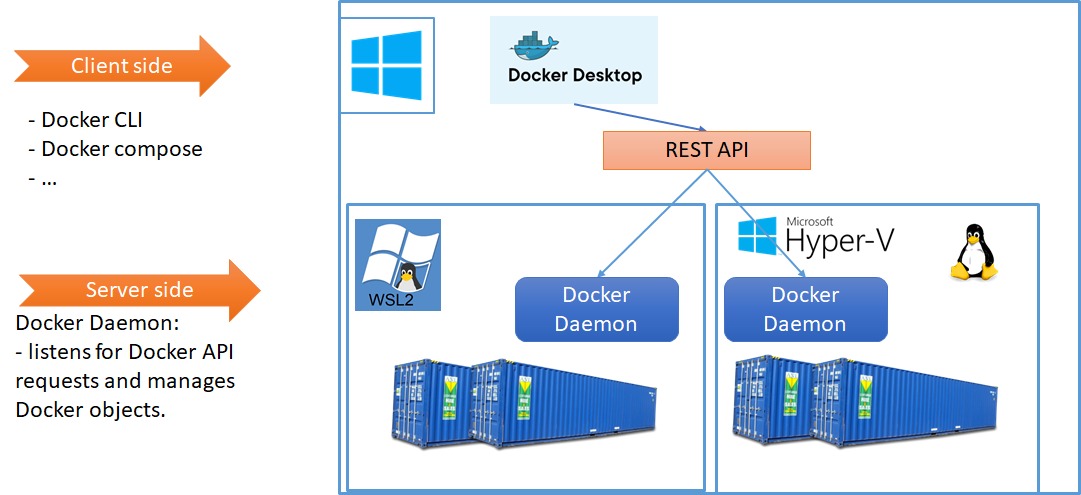
This structure might raise a few problems – for example, dind (Docker-in-Docker).
If I have a CI job which is running on a docker agent and needs to build a docker image – I can’t run docker build because I can’t install the docker Daemon on a docker.
The work around is to connect the agent docker daemon to the image docker daemon -> what will be a huge security problem, since everyone who can run a CI job – can access my application image.
And all I wanted to do is “docker build” – not even “docker run“…
Docker Desktop engines
Our docker Desktop usages.
As a developer I can use Docker Desktop in two ways:
- Docker engine
- K8s engine
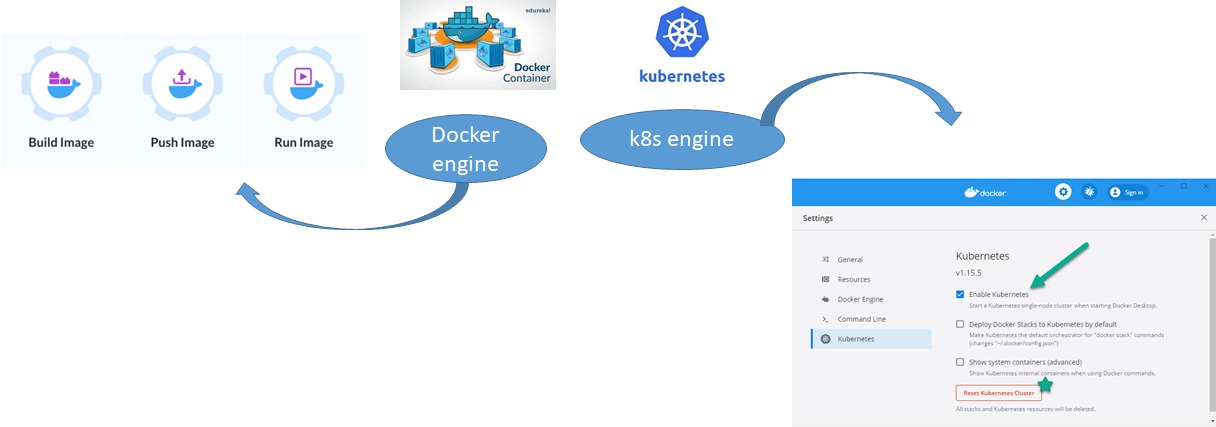
To find a an alternative to Docker Desktop, we have to find an alternative to both aspects:
Working with containers locally – Docker Engine
Running a local Kubernetes cluster – Kubernetes Engine
Docker Desktop Alternatives – Docker engine
And here comes the good part – what other tools are out there?
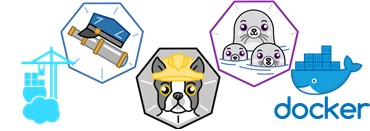
we will divide the tools into two groups – the client tool and the container engine tools.
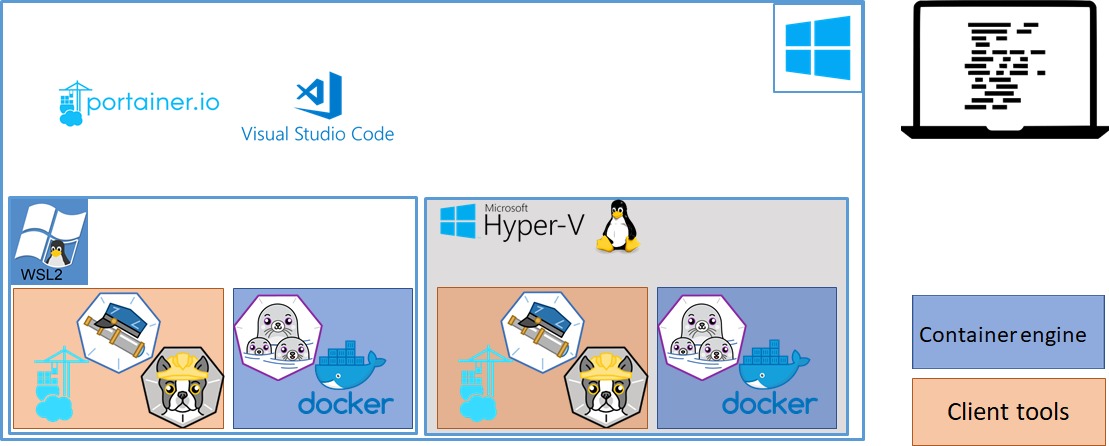
Client tools:
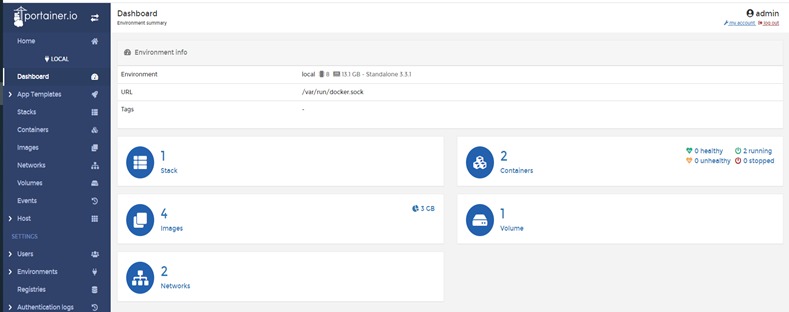
- Portainer.io – the closest thing there is to the docker desktop UI.
- Buildah – a tool to build images.
- Skopeo – a tool to work with image repositories.
Container engnine:
- Podman – a container engine.
- docker – we can still use docker on the WSL2 without docker desktop! (but maybe there are some better things out there 🙂 )
Podman

The most prominent competitor to Docker is Podman, developed by Red Hat.
Podman is daemon-less.
Podman can be root or rootless.
Podman runs pods which make it easier to later migrate the workloads to Kubernetes.
Podman provides the exact same CLI commands as Docker as they are implemented using the same standard defined by the Open Container Initiatives (OCI).
Buildah

Buildah is developed by Red Hat.
Buildah is daemonless and rootless.
Buildah supports complex build scenarios.
Buildah comes along with Podman and is called when you run podman build.
Skopeo

Syncing repositories.
Inspecting a remote image showing its properties including its layers.
Deleting, tagging an image from an image repository.
Portainer

Portainer is an open source software project.
Portainer provides an container management UI.
Docker Desktop alternatives – Kubernetes engine
From the k8s point of view there are some great tools as well!
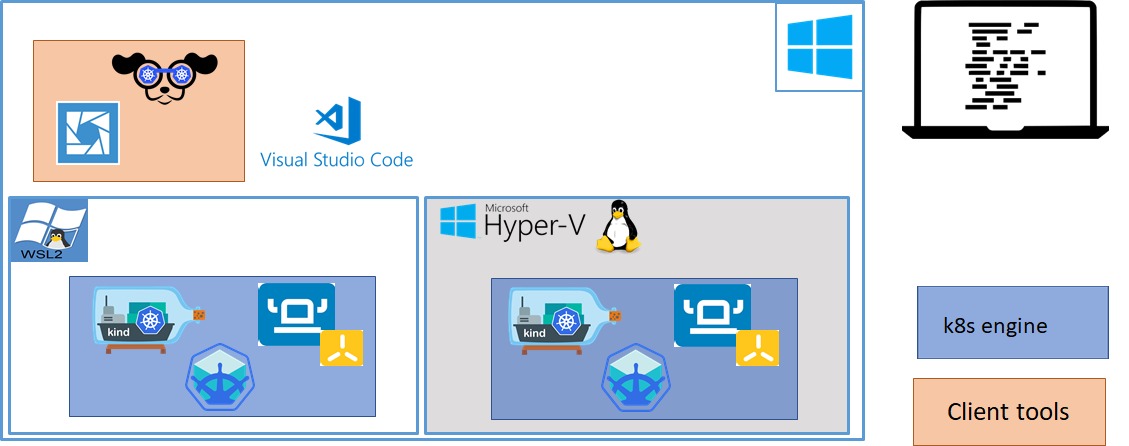
k8s engine:
- Rancher desktop.
- Minikube.
- Kind.
Client tools:
- Lens.
- k9s.
Rancher Desktop

Developed by Rancher – open-source.
Sets up a local Kubernetes cluster on macOS, Linux, and Windows.
Supports multiple k8s versions.
Rancher cannot run multiple clusters at ones. And doesn’t support a multiple node cluster.
powered by nerdctl & kim.
Minikube

Developed by Kubernetes Special Interest Groups (SIGs) – open source.
Sets up a local Kubernetes cluster on macOS, Linux, and Windows.
Supports the latest Kubernetes release (+6 previous minor versions).
Deploy as a VM, a container, or on bare-metal.
Does Support multiple clusters, does support multiple nodes in cluster.
Built in k8s Dashboard -> minikube dashboard.
Kind
Developed by Kubernetes Special Interest Groups (SIGs) – open source.
Sets up a local Kubernetes cluster on macOS, Linux, and Windows.
Supports multiple k8s versions.
Deploy as a Docker or Podman container “nodes”.
Does Support multiple clusters, Does support multiple nodes in cluster.
Faster startup speed compared to minikube.
ability to load local images directly into the cluster. ->
kind load docker-image my-app:latest
Lens

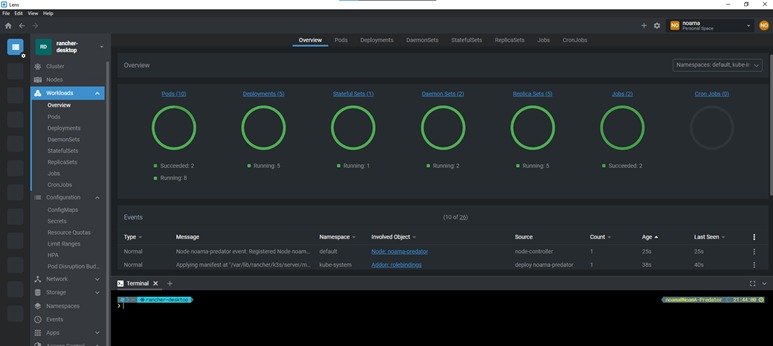
Lens is an open source tool.
Lens is a Kubernetes IDE.
It is available on macOS, Windows, and Linux.
Increased visibility, real time statistics, log streams, and hands-on troubleshooting capabilities.
The ability to work with your clusters quickly and easily.
k9s

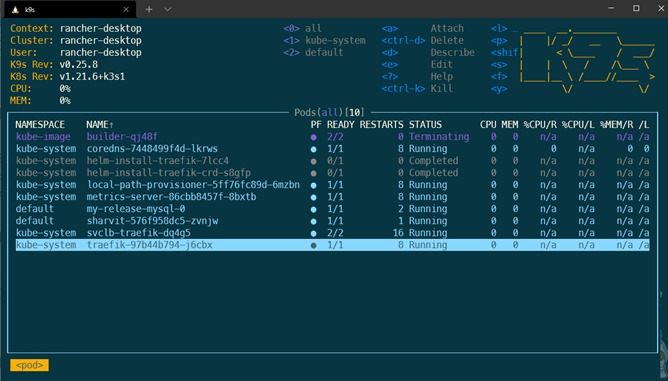
K9s provides a terminal UI to interact with your Kubernetes clusters.
Make it easier to navigate, observe and manage your applications.
K9s continually watches Kubernetes for changes and offers subsequent commands to interact with your observed resources.

Demo
A demo script Building a Dockerfile using Bildah.
Running a container using Podman.
Inspecting the Container using Portainer.
Creating a local cluster using kind.
Deploying the pod yml into the local cluster.
Inspecting thecluster using k9s.
/media/2021/12/video1.mp4
Get more
You can find the Demo script, and soe example usage on al the tools in the following github :